

For Amazon sellers, fast prep is not just about how quickly a prep center can apply labels. FBA prep turnaround time depends on when inventory is received, whether cartons arrive in usable condition, how complex the products are, whether shipment labels are ready, and how quickly exceptions get resolved. A two-day quote can become a five-day delay if the shipment arrives without documentation, mixed SKUs, damaged cartons, or missing Amazon shipment details.
The right question is not simply, “How fast are you?” It is, “What exactly starts the clock, what stops the clock, and what conditions must be met for the stated prep center SLA to apply?”
Direct answer
A normal FBA prep turnaround time for standard, label-ready goods is often measured in business days after the prep center has received, checked in, and matched the shipment to your account. Simple carton forwarding may move faster, while poly bagging, bundling, kitting, inspection, FNSKU labeling, carton relabeling, or problem shipments can add time.
Fast enough means the prep center can complete receiving, prep, carton forwarding, and Amazon shipment handoff in time to support your inventory plan without creating avoidable stockouts or storage risk. Sellers should compare the full FBA prep processing time, not just the advertised label-application speed.

What FBA prep turnaround time actually includes
Turnaround time should be measured from a clearly defined starting point to a clearly defined finish point. Many misunderstandings happen because sellers assume the clock starts when the freight carrier delivers, while the prep center may start the clock only after the shipment is checked in, documented, and available for processing.
For Amazon sellers, the full cycle may include:
- Carrier delivery to the prep center or warehouse
- Receiving, unloading, and shipment identification
- Carton count verification and damage notation
- SKU sorting, inspection, and prep work
- FNSKU labeling, suffocation warning labels, poly bagging, bundling, or other requirements
- Carton forwarding, palletization, or outbound parcel/LTL handoff
- Amazon inbound shipment label application and carrier documentation
- Delivery into Amazon’s network, followed by Amazon receiving and check-in
Amazon explains the broader FBA model on its official Fulfillment by Amazon page, but the work before inventory reaches Amazon is where prep centers can create or prevent delays.
Normal vs. rush FBA prep processing time
Standard prep and rush prep are not the same service level. A normal SLA may apply to predictable inbound shipments with complete documentation, clean cartons, accurate SKU counts, and labels ready before the shipment is in the work queue. Rush service usually means the provider prioritizes the job, but it may still depend on dock capacity, labor availability, carrier pickup windows, and Amazon shipment readiness.
Standard prep
Standard prep is best for replenishment inventory where the seller has enough buffer to allow for receiving, processing, outbound handoff, and Amazon receiving. It is usually the most cost-effective option and works well when product prep is consistent.
Rush prep
Rush prep is useful when inventory is at risk of stocking out, when a launch date is approaching, or when imported goods arrive later than planned. However, rush service does not eliminate the need for accurate shipment information. If cartons are unlabeled or shipment plans are incomplete, the rush clock may not begin.
Carton forwarding turnaround
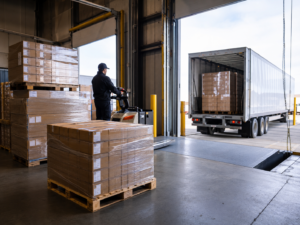
Carton forwarding turnaround can be faster than full unit-level prep if goods arrive already compliant and only need forwarding labels or routing changes. But if cartons must be opened, inspected, relabeled, reboxed, or split across multiple Amazon shipments, the work becomes more involved.
Receiving cutoffs matter more than sellers expect
Prep centers usually operate with receiving cutoffs. A shipment delivered late in the day may not be checked in until the following business day. LTL freight may take longer to receive than small parcel, especially if pallets require breakdown, carton counts, photos, or exception reporting.
When comparing providers, ask how they define “received.” Does it mean the carrier marked the freight as delivered? Or does it mean the warehouse has physically counted the cartons and matched the shipment to your inbound notice? That distinction can change the real prep timeline.
For imported inventory, receiving can be even more sensitive. Freight may arrive by container, loose cartons, palletized LCL, or truckload after customs clearance and drayage. If your products are coming from overseas, review the operational details in FBA Prep for Imported Products before assuming a standard domestic prep timeline will apply.
What slows FBA prep down?
The biggest delays are usually not caused by the labeling task itself. They usually come from exceptions, missing information, or inventory that does not match the seller’s expectations.
Unclear or missing inbound documentation
If the prep center cannot identify the shipment, match it to your account, or confirm which SKUs are inside, the job may sit in an exception queue. Sellers should provide tracking numbers, carton counts, SKU details, purchase order references, and any Amazon shipment information before freight arrives.
Mixed SKUs and poor carton organization
Mixed cartons can be manageable, but they take more labor to sort, count, inspect, and label. If cartons are not marked clearly or packing lists are inaccurate, the prep center may need to open more cartons and verify units manually.
Product condition issues
Damaged cartons, leaked products, missing components, crushed retail packaging, or inconsistent quantities can slow processing. The prep center may need seller approval before disposing of damaged inventory, repacking units, or forwarding goods to Amazon.
Label readiness
FBA labels, FNSKU labels, box labels, and shipment details must be ready before outbound work can be completed. If the seller has not created the shipment in Amazon’s workflow, the prep center may not be able to finish the job even if all physical prep is complete.
Peak-season volume
During Q4, Prime event preparation periods, or major replenishment pushes, prep centers may extend SLA windows or require earlier appointment scheduling. Sellers should confirm seasonal cutoffs before inventory is already in transit.
Amazon receiving delay is separate from prep center speed
An Amazon receiving delay can happen after the prep center has completed its work and handed the freight to the carrier. This is important because sellers sometimes blame the prep provider for delays that occur inside Amazon’s inbound network.
Prep center turnaround usually ends when cartons or pallets are shipped, picked up, or delivered according to the agreed service scope. Amazon receiving begins when inventory enters Amazon’s process and is checked in or made available for sale. For LTL and truckload moves, delivery appointments and carrier scheduling can also affect timing. Terminology and workflows may vary based on Amazon’s current inbound process, including shipment creation through Send to Amazon and carrier appointment requirements for certain freight moves.
When evaluating performance, separate these milestones:
- Delivered to prep center
- Checked in by prep center
- Prep completed
- Outbound labels applied
- Picked up by carrier
- Delivered to Amazon
- Received or checked in by Amazon
This separation helps you identify whether the delay is at the prep center, with the carrier, or inside Amazon receiving.
How to compare a prep center SLA
A useful prep center SLA should be specific enough to manage against. Avoid relying only on marketing claims such as “24-hour prep” unless you know exactly what conditions apply.
Ask when the SLA clock starts
Does the clock start at carrier delivery, warehouse check-in, completion of receiving, or once all seller instructions are available? The best comparison is one where every provider is answering the same question.
Ask what work is included
Unit labeling, poly bagging, bundling, expiration date labeling, carton consolidation, carton forwarding, and inspection can each change processing time. A simple forwarding job should not be compared to a full prep job.
Ask how exceptions are handled
Exception handling is where timelines often break. Ask whether the provider sends photos, what approval is required, how quickly they notify you, and whether unresolved exceptions pause the SLA.
Ask about seasonal capacity
A provider that performs well in March may be overloaded in November. Ask whether SLAs change during peak periods and whether the company limits inbound volume by seller, dock schedule, or service type.
For a broader vendor evaluation framework, use Questions to Ask an FBA Prep Center alongside your turnaround-time review.
Practical checklist for sellers
Before inventory ships to a prep center, confirm these items so your turnaround clock is not delayed by preventable issues:
- Send the prep center tracking numbers, carrier details, and expected arrival date.
- Provide carton counts, SKU list, quantities, and packing details.
- Create or prepare Amazon shipment information early enough for labels to be generated.
- Clarify whether goods are case-packed, mixed-SKU, bundled, or unit-level prep.
- Confirm receiving cutoffs and whether late-day deliveries roll to the next business day.
- Ask how damaged cartons, shortages, overages, and mismatched SKUs are reported.
- Confirm outbound method: small parcel, LTL, FTL, carton forwarding, or pallet forwarding.
- Get the SLA in writing, including what pauses or excludes the clock.
FAQ: FBA prep turnaround time
What is a normal FBA prep turnaround time?
For standard, label-ready products, turnaround is often measured in business days after receiving and check-in. More complex prep, mixed cartons, missing labels, or damaged goods can extend the timeline.
What slows FBA prep processing time the most?
The most common causes are missing shipment details, mixed or poorly labeled cartons, damaged inventory, incomplete Amazon shipment labels, seller approval delays, and peak-season capacity limits.
Is Amazon receiving delay part of the prep center SLA?
Usually no. Prep center SLA typically covers the provider’s receiving, prep, and outbound handoff. Amazon receiving delay happens after inventory reaches Amazon’s network and should be tracked separately.
How fast should carton forwarding turnaround be?
Carton forwarding can be relatively fast when cartons arrive organized, labeled, and ready to move. If cartons need inspection, relabeling, splitting, repacking, or consolidation, the timeline becomes closer to a prep job than a simple forwarding job.
